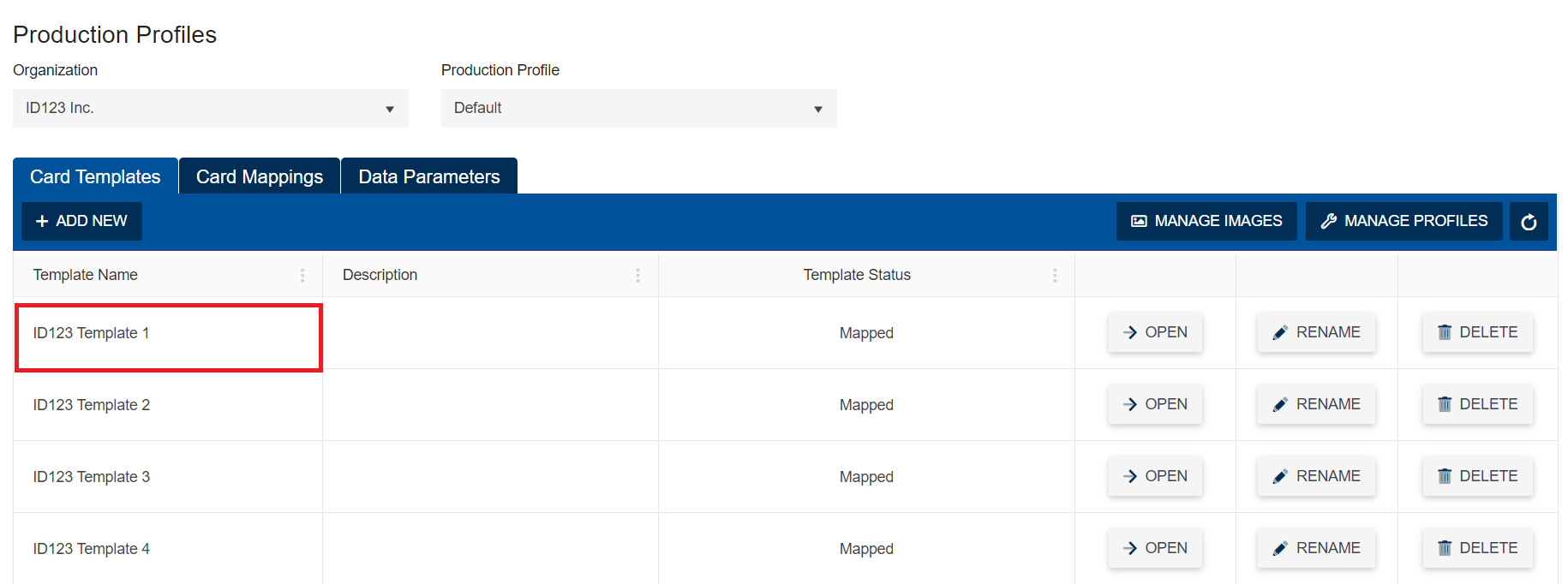
When creating a print template in the ID Management System with the HID Fargo Connect (HFC) integration you will be required to select an Organization Name, Production Profile, and Card Template from your HFC account in order to determine which card template field in HFC you will use to map to the corresponding fields in ID123.
Step 1: Login to HFC
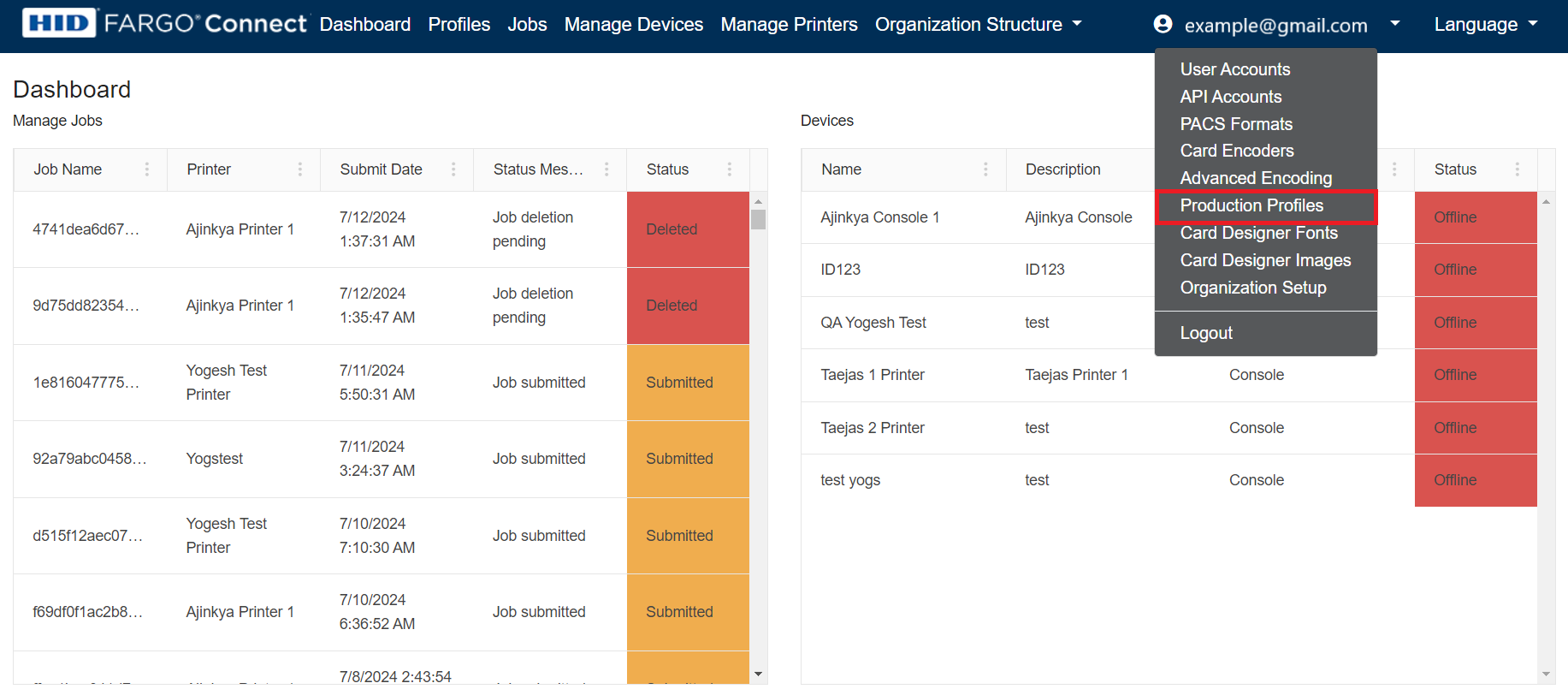
Login to your HFC Admin portal, navigate to your user profile, and select the “Production Profile” option from the dropdown selection in the top right corner.
Step 2: Note Organization and Profile
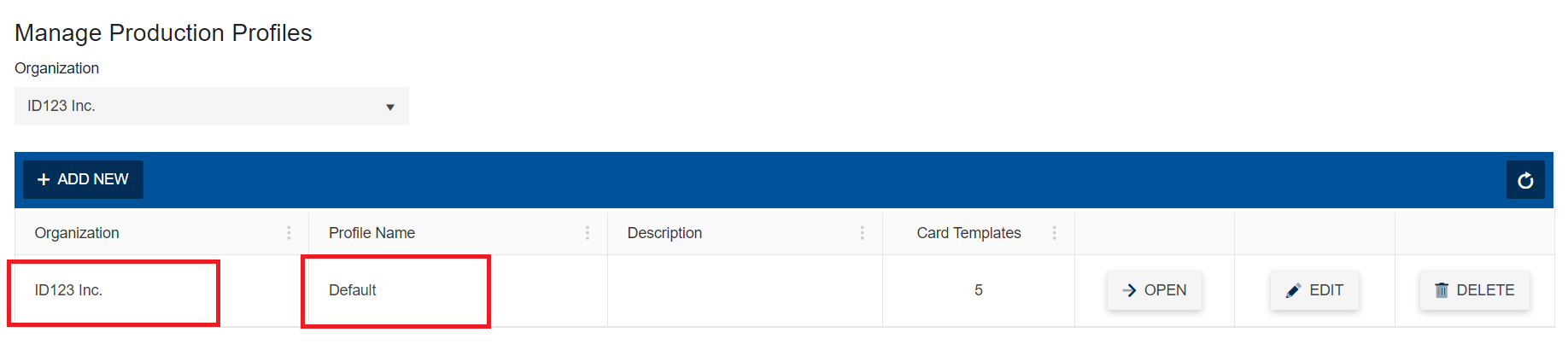
On the “Manage Production Profiles” page, take note of the Organization and Profile name that you would like to use when creating a print template in the ID Management System.
Step 3. Open Production Profile
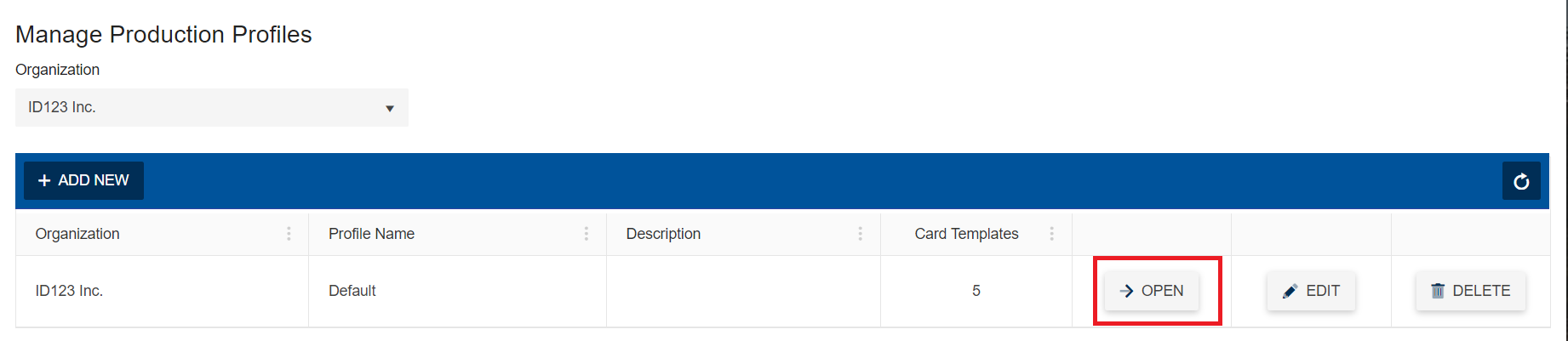
Navigate to the “Production Profiles” page by clicking the “Open” button next to your desired production profile.
Step 4: Note Card Template
On the “Production Profiles” page take note of the Card Template that would like to use when creating a print template in the ID Management System.