
If a cardholder needs to upload or share proof that a digital ID card is valid to someone who can’t scan or view it in the ID123 App, they can now generate a ‘PDF Proof’. This is a shareable file you can upload, email, or print, created instantly in the ID123 Digital ID Card App so it’s ready whenever you need it.
Step 1: Navigate to the ID123 App
Open the ID123 App and locate your digital ID card.
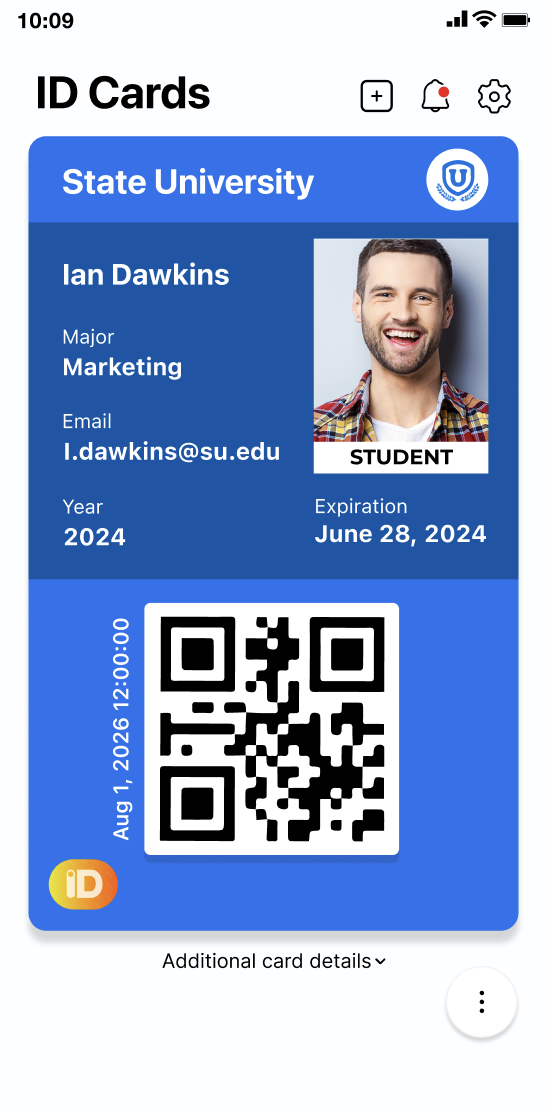
Step 2: Generate the PDF Proof
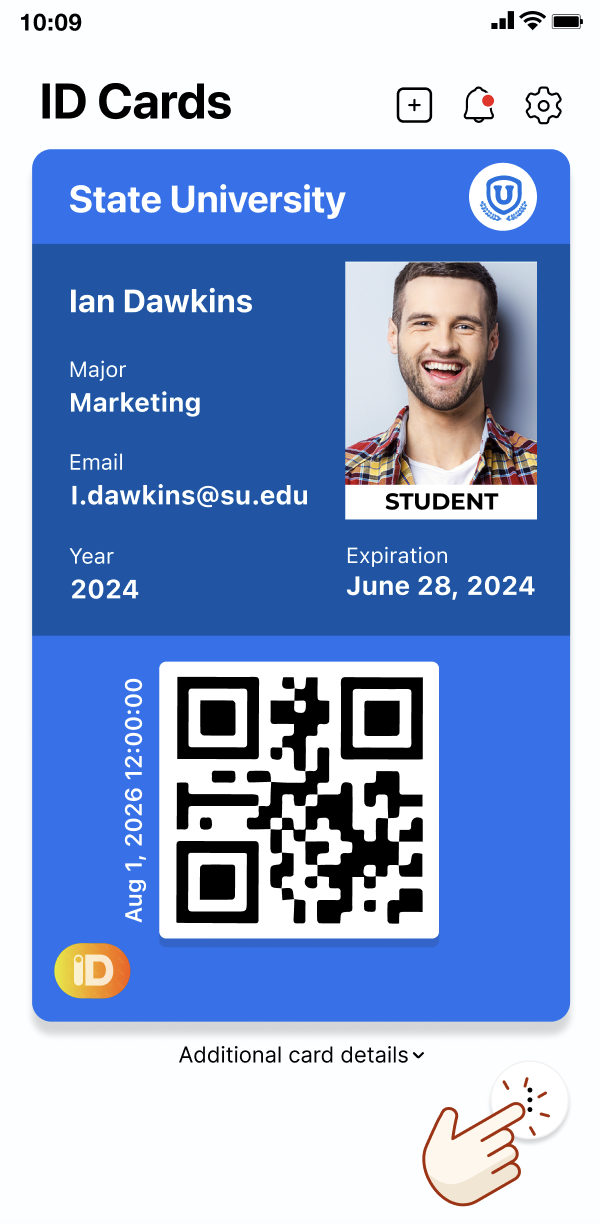
1. Click the 3 ‘dots’ in the bottom right hand corner.
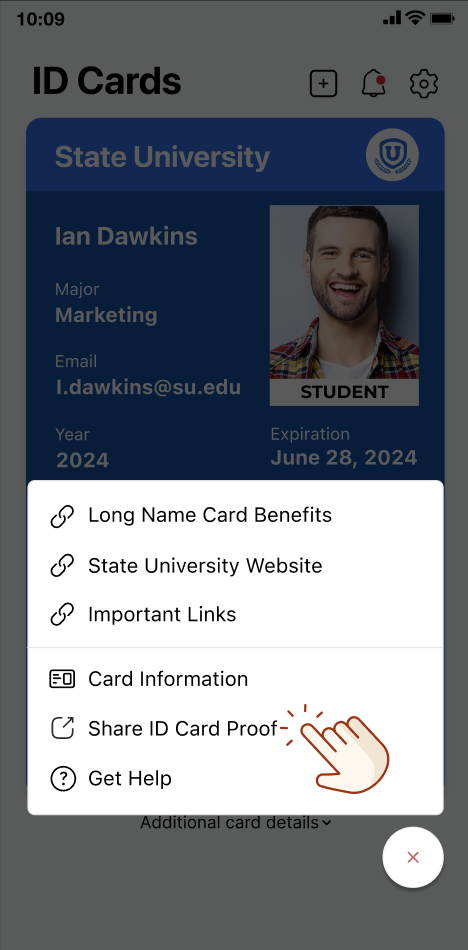
2. You should then see the option to ‘Share ID Card Proof.’ Select it.
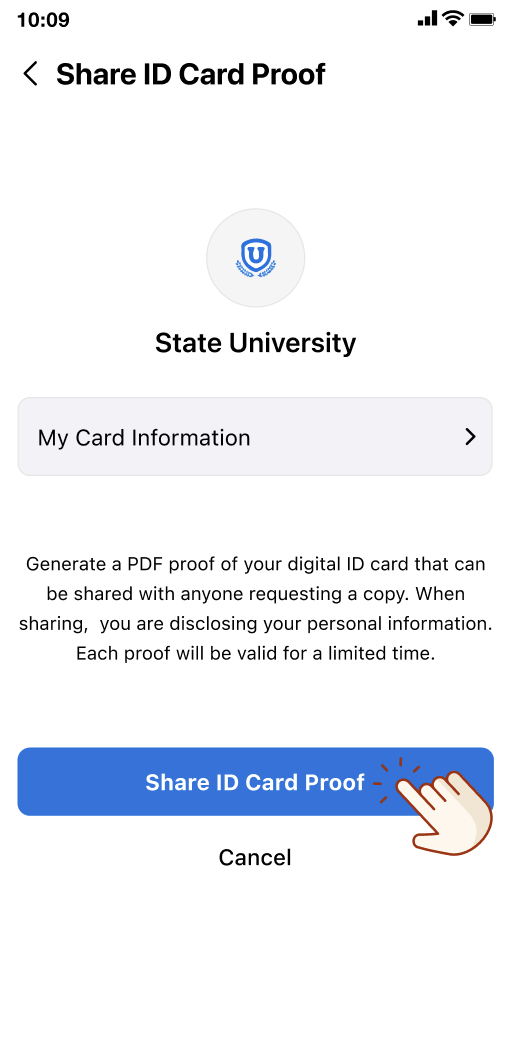
3. The app generates the file instantly.
What’s Included in the File:
Each ‘PDF Proof’ gives the person reviewing it a legible, complete record they can trust.
It includes:
- The cardholder’s information as shown on the front of the card.
- Issuer information identifying the institution that issued the card.
- Validation status, showing whether the card is currently valid or expired.
- Verification status, confirming the card’s data has been successfully checked against the issuer’s record.
- Barcode, a scannable or clickable code containing the card’s verified credential.
When a Proof May be Needed:
Common Situations:
- Proof of student status for discounts, housing, or enrollment verification.
- First responder and other discount programs.
- Membership verification.
- HR and employment verification systems.
- Any online form or portal that asks you to ‘upload a copy of your organization’s ID card.’
Troubleshooting
If the Option to Generate a Shareable ‘Proof’ of an ID Card is not Visible:
- Confirm you are on the correct card screen for the specific ID that needs to be shared (the option is set per card, so it may be available on one of your cards but not another).
- Ensure the latest version of the ID123 App is installed.
- Contact your institution; the feature may not be enabled for your card.
Administrators may reference ‘How to Enable the Share ID Card PDF Proof Feature in the IDMS‘ for further guidance.
Need Help?
Contact ID123 support if you have questions about rolling this out across your templates.