
The ‘PDF Proof’ Feature enables cardholders to generate a shareable PDF version of their digital ID card directly from the ID123 App; useful for discounts, enrollment or employment verification, membership checks, and any portal that asks to upload a copy of ID.
The feature is opt-in and configurable per card template. Administrators can turn it on for templates where it makes sense: for example, a student ID template, while leaving other templates unchanged. This is all managed from the ‘Design Templates’ tab within IDMS.
Step 1: Login to the IDMS System and Navigate to the Desired Template
- Log in to the ID Management System (IDMS).
- Go to the ‘ID Cards’ tab and select ‘Design Templates’ on the left hand navigation.
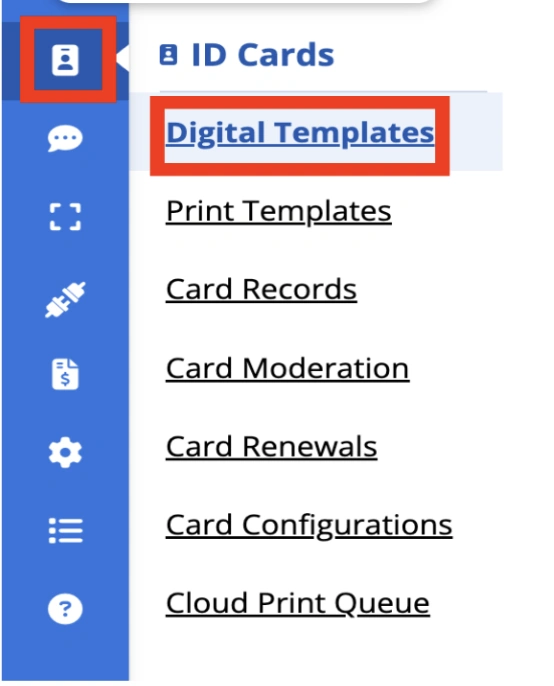
- Select the card template you want to enable the feature (for example, your student ID template).
- Select ‘More,’ followed by ‘Edit Template’ at the top of the drop-down menu.

Step 2: Enabling the Feature per Template
- Open the ‘General’ tab within the template.

- Toggle on the ‘PDF Proof’ setting.
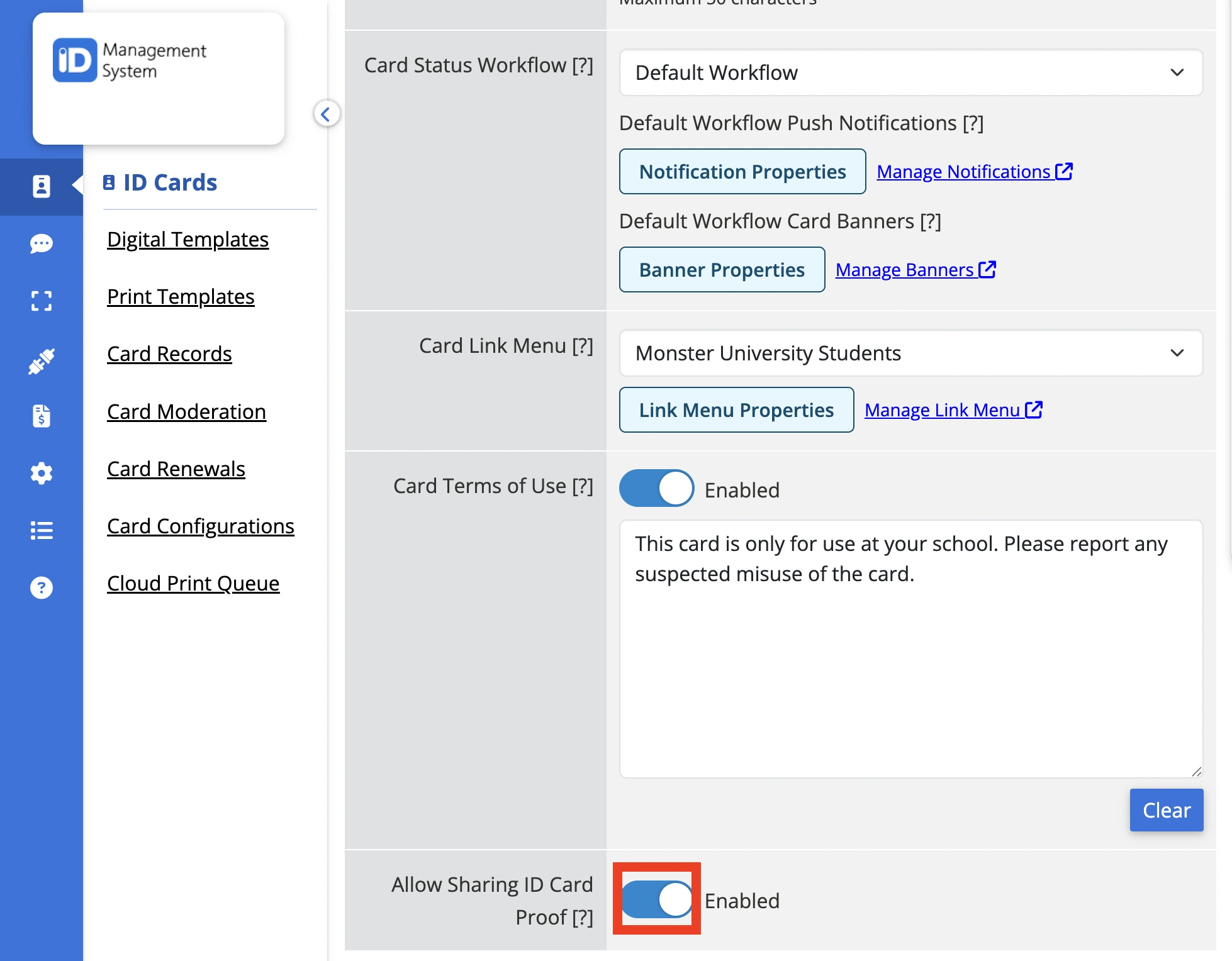
- Save your changes.
Repeat these steps for any other card template where the feature is needed. Templates you don’t update are left unchanged.
What Happens When Enabled?:
- Cardholders on the updated template will see a ‘PDF Proof’ (or ‘Share’) option appear on their digital ID card in the ID123 App.
- From there, they can generate a shareable PDF any time they need one, see ‘How to Generate and Share a PDF Proof of Your Digital ID Card’ for the cardholder-facing steps.
Security:
- Enabling does not change how the digital ID card itself behaves.
- Card data stays exactly as protected as it was, including existing screenshot and screen-recording safeguards, and the card data in the verifiable credential remains tamperproof.
- The ‘PDF Proof’ Feature simply gives cardholders a sanctioned, controlled way to produce a shareable version of their ID when a situation calls for it.
Turning It Off:
- To disable the Feature for a template, follow the same steps listed previously.
Need Help?
Contact ID123 support if you have questions about rolling this out across your templates.