
Guest scanners are people who can scan and verify ID cards in a scan session without having an ID123 ID Management System (IDMS) account, such as event staff, volunteers, or security personnel. You can invite guests when you first create a scan session, or add them to an existing session at any time. This article covers how to invite guest scanners to an existing session: by email invitation, or by sharing a scan session link or QR code.
Step 1: Locate the Scan Session
- Log in to your ID123 ID Management System (IDMS) account
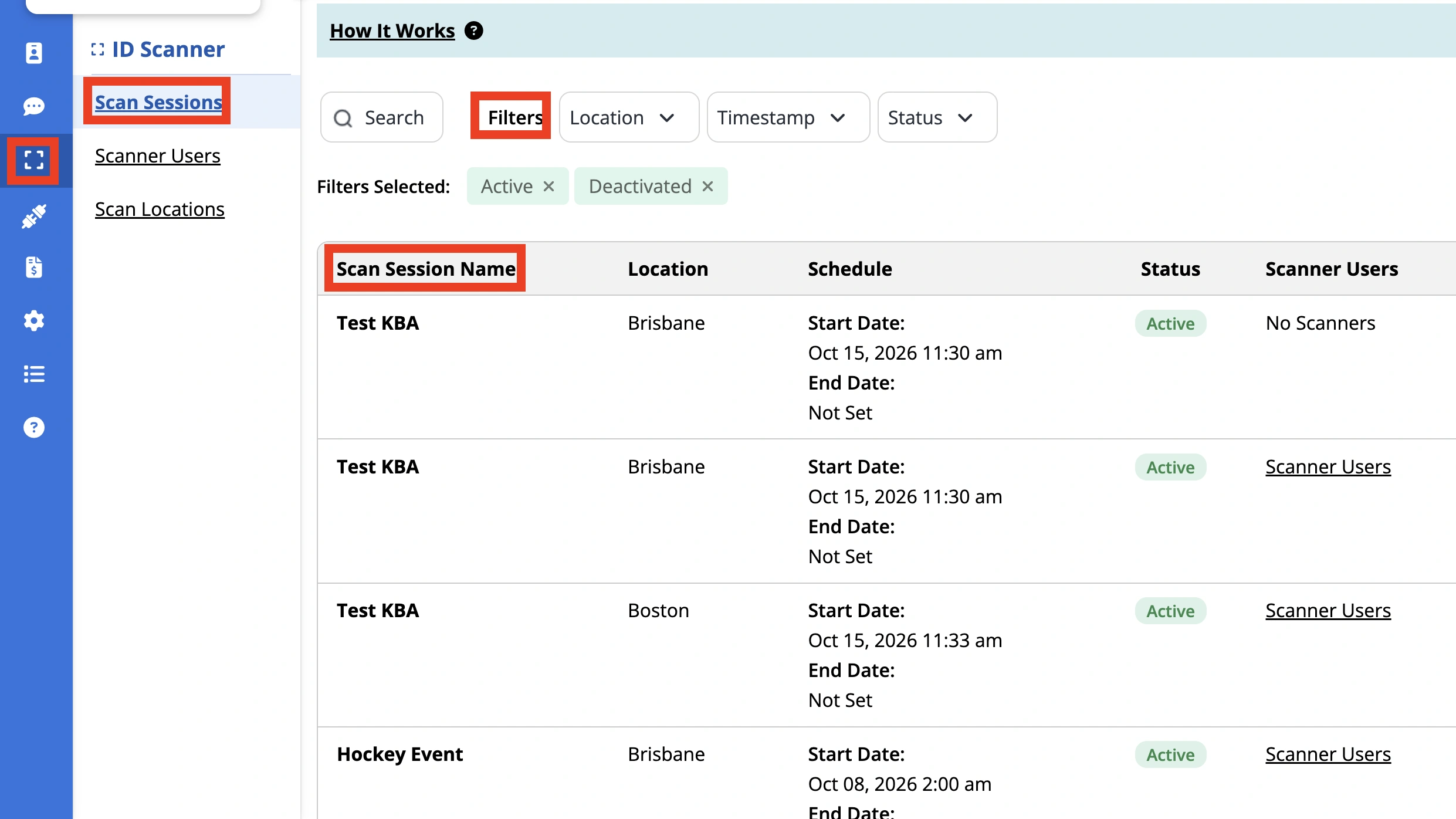
- From the left-hand navigation bar, click the ‘ID Scanner’ tab, then select ‘Scan Sessions’ in the sub-menu
- Find the session you want to invite a guest to. Use the search bar or the ‘Location’, ‘Timestamp’, and ‘Status’ filters to narrow the list
Step 2: Invite a Guest by Email
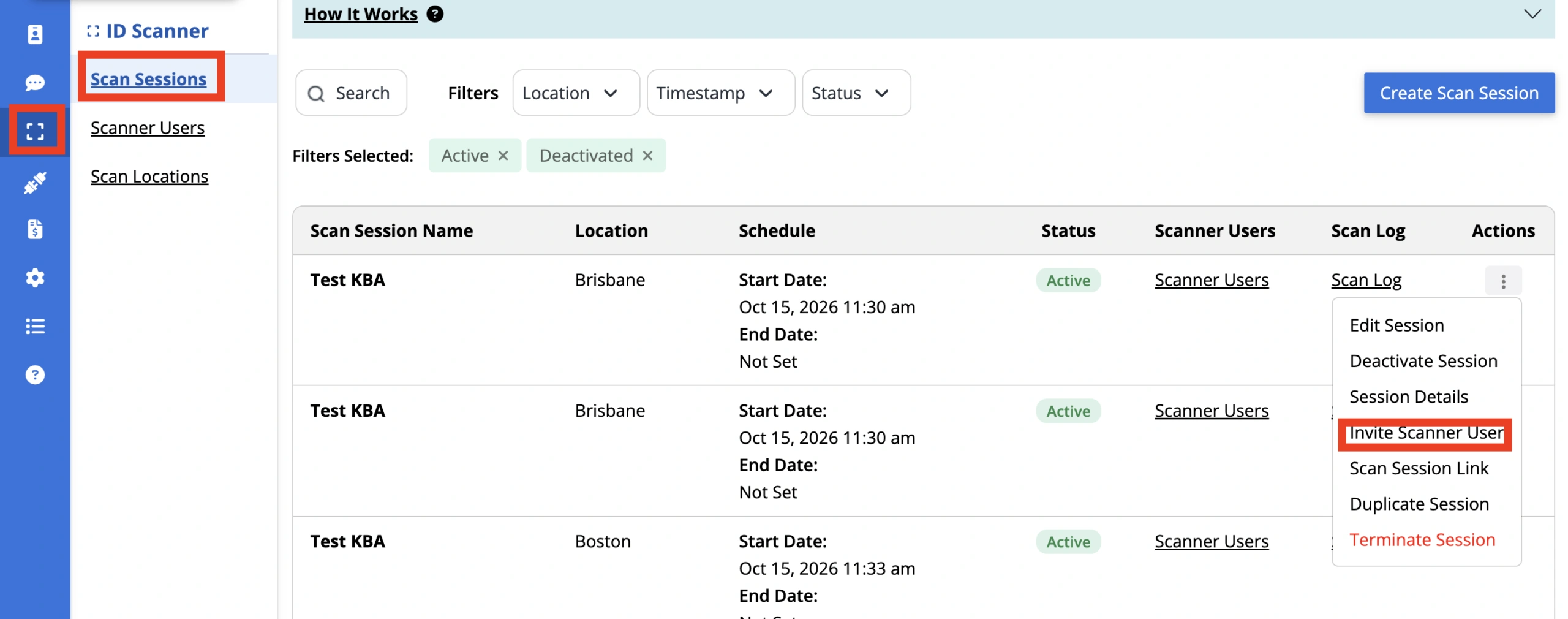
- Open the ‘Actions’ menu for the session and select ‘Invite Scanner User’
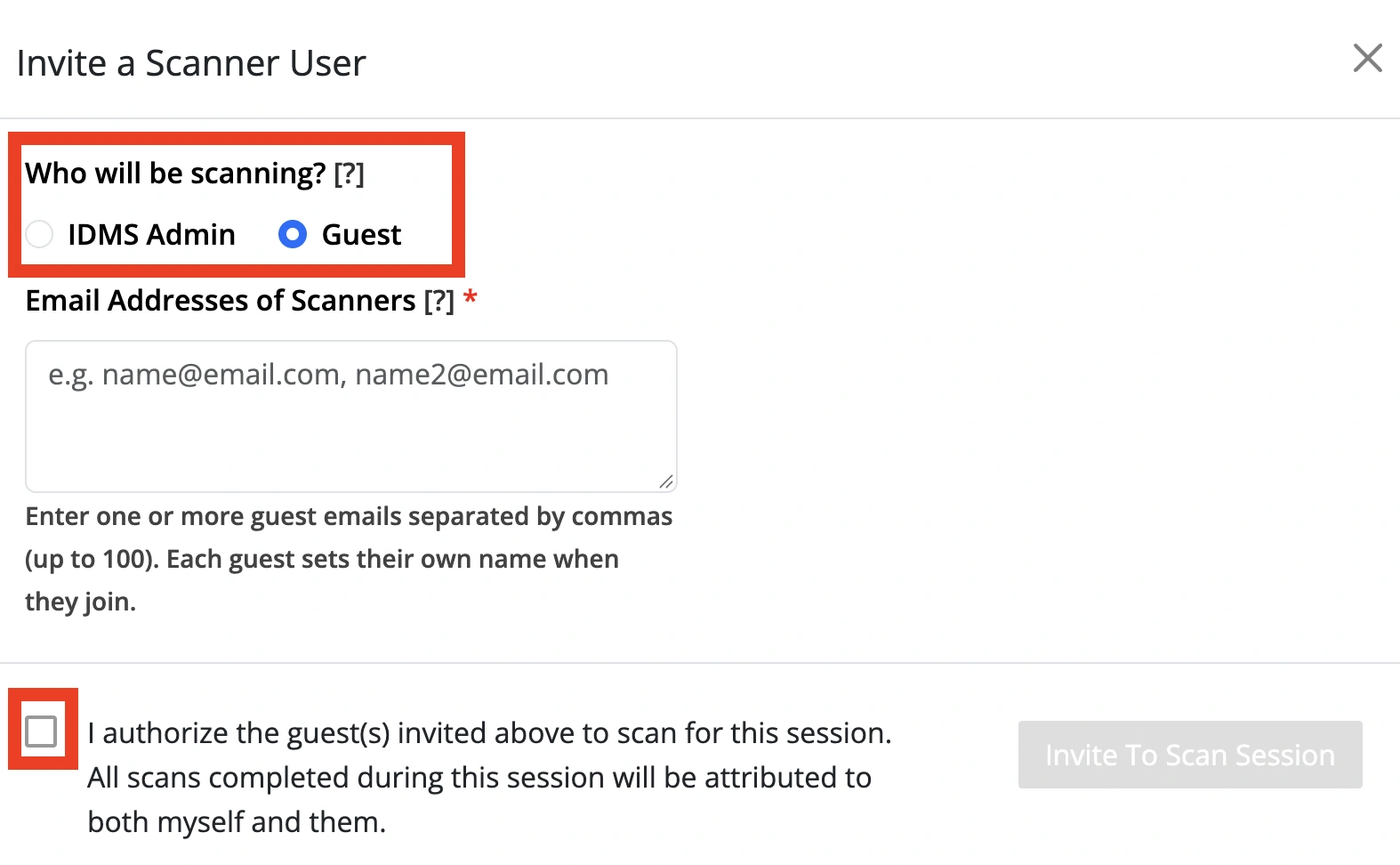
- In the ‘Invite a Scanner User’ window, under ‘Who will be scanning?’, select ‘Guest’
- In the ‘Email Addresses of Scanners’ field, enter one or more email addresses separated by commas (up to 100). Each guest sets their own name when they join the session
- Check the authorization box to confirm you authorize the guest(s) to scan for this session. All scans completed during the session are attributed to both you and the guest scanner
- Click ‘Invite To Scan Session’
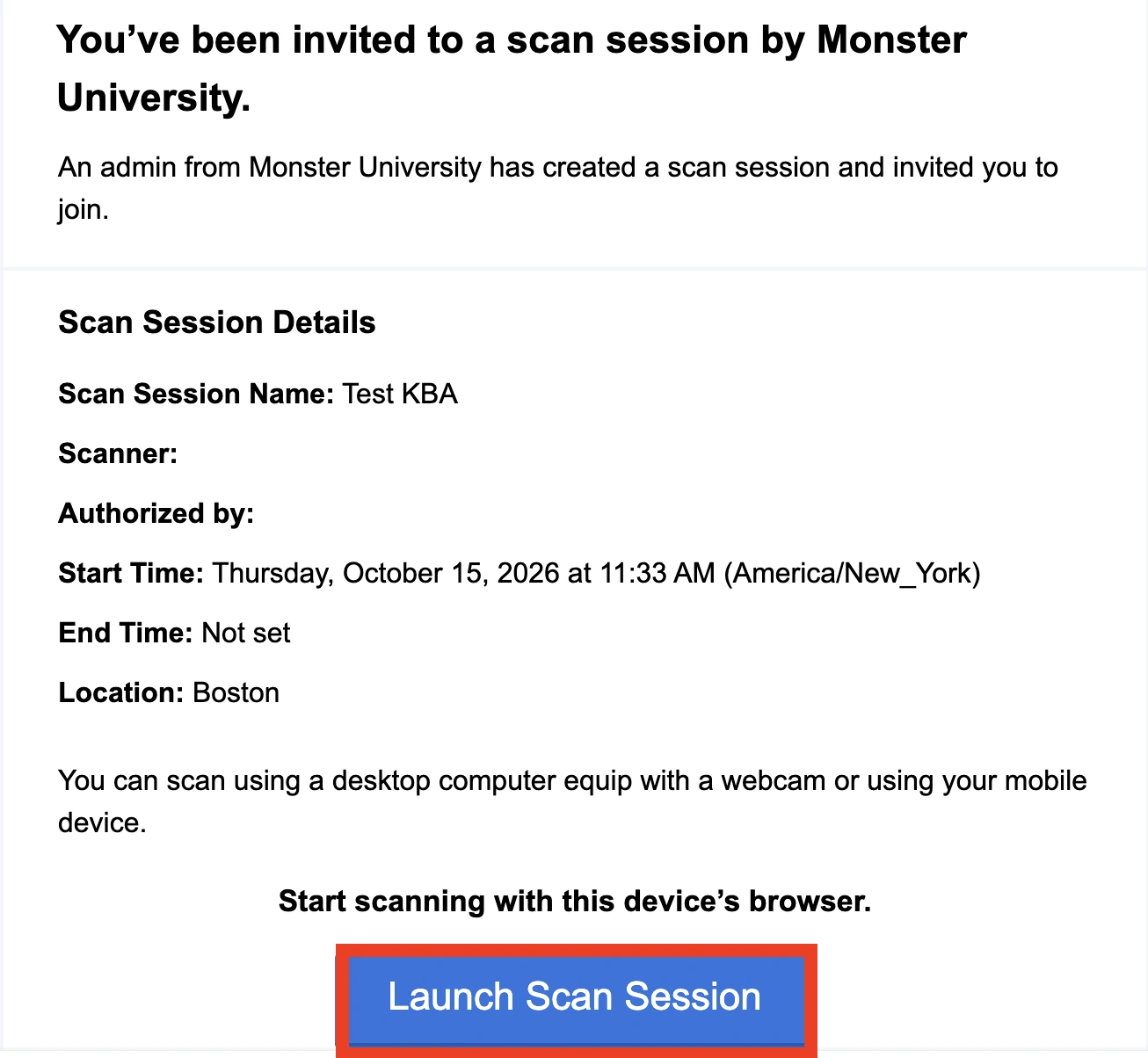
Each guest receives an email invitation with a link to join the session. They will appear on the Scanner Users page with an ‘Invited’ status until they join.
Email Received By Guest Scanners:
Step 3: Confirm the Guest Has Joined
- On the Scan Sessions page, click ‘Scanner Users’ in the session’s row to see everyone assigned to that session
- A guest’s status changes from ‘Invited’ to ‘Active’ once they have joined the session. If a guest did not receive their invitation, open the ‘Actions’ menu next to their name and select ‘Resend Invite’
Your guest scanner is ready to scan! If you have any questions or need help inviting guest scanners, feel free to contact our support team.